Find some Tweaks & Tips over Here

DEVIL MIND THINGS WHICH NEVER BE APPLIED IN YOUR LIFE

DONT BE THE PART OF THESE THING IN YOUR LIFE

Follow these rules to rule on your success 

->Dont compare yourself with others

->Dont try to revenge with someone or intention off revenge->Dont underestimate or exaggerate yourself

Share:

SIMPLE C++ PROGRAM TO PRINT NUMBER 1 TO USER DEFINED

SIMPLE C++ PROGRAM TO PRINT NUMBER 1 TO USER DEFINED USING for LOOP


C++ programm

GREEN CODE IS MAIN PROGRAM

#include<iostream.h>
void main()
{
int i,n;
cout<<"Enter the value of  number till you want to print";
cin>>n;

for(i=1;i<=n;i++)
{
cout<<"\n";
cout<<i;
}

}

[[ n is that number where you want print numbers 1 to that no.]]


Thanks for visiting...................


Share:

SIMPLE C++ PROGRAM TO PRINT NO. FROM 1 T0 10

SIMPLE C++ PROGRAM TO PRINT NO. FROM 1 T0 10 USING for LOOP


C++ programm

GREEN CODE IS MAIN PROGRAM

#include<iostream.h>
void main()
{
int i;
for(i=1;i<=10;i++)
{
cout<<"\n";
cout<<i;
}

}


Thanks for visiting...................
Share:

HOW TO INSTALL CUSTOM ROM ON LG G3 BEAT D722K & D722 VARIENTS

##NOTE:-THESE ALL STEPS CAUSE DATA LOSE SO KINDLY BE PREPARED AND TAKE BACKUP OF YOUR DATA,I HAVE PERFORMED ALL THESE STEPS ON MY LG G3 BEAT, IF SOMETHING GOES WRONG WITH YOUR PHONE I WILL NOT RESPONSIBLE FOR THIS. USE AT OWN RISK!!

THIS GUIDE IS STARTING FROM VERY BASIC DON'T WORRY!
STEPS ARE FOLLOWED FROM XDA-FORUM BUT IN SIMPLIFIED FORM, ON XDA-FORUM IT IS HECTIC 
PLEASE FOLLOW ALL STEPS WITHOUT SKIPPING ANY.

http://forum.xda-developers.com/lg-g3/general/lg-g3s-beat-d722-thread-t3110048

YOU NEED:-
1) INTERNET
2)PC(DESKTOP/LAPTOP)
3)LG G3 BEAT WITH SDCARD
4)DATA CABLE
5)PATIENCE 
6)4-5HRS(WITHOUT DISTURBANCE)
7)SNACKS

~PHONE MUST BE CHARGED 90%
SYNC YOUR PHONE TO INTERNET BEFORE DOING ANYTHING SO AFTER INSTALL OF CUSTOM ROM GOOGLE CONNECTED APPS DATA RESTORED WHEN YOU SYNC AGAIN IN CUSTOM ROM. EXAMPLE-CALENDAR,KEEP  ETC.
STOCK(ORIGINAL) ROM IS PRETTY HEAVY BECAUSE OF BLOATWARES AND OTHER APPLICATIONS WHICH CANT BE REMOVED, WHICH THESE CUSTOM ROMS CONTAINS ONLY MAIN FILES AND RUNS SMOOTH,YOU CAN RUN MANY APPLICATIONS IN PARALLEL.

How to install custom rom on  LG G3 BEAT D722K & D722 VARIENTS??
Here is the proper guide, How to root??
How to Patch BootLoader??
How to change Recovery(Custom Recovery-TWRP)??
How to install Custom Rom??

There is all guide available of all of these above but i dont like because there is no proper step guide to reach on last step and use the custom rom

#STEP 1

HOW TO ROOT LG G3 BEAT??

Use the easiest the method of the rooting your lg g3 beat
Download iROOT software for the Windows Pc version
install and run the iROOT now follow these--->
{{
take your LG g3 beat
Setting->About phone->Software Information-> Now keep tapping Build Number till is shows Now you are a Developer.
Go back and go to Developer options->Enable USB debugging.
}}

Back to the Pc, Now connect your Phone via data cable to Pc.
Now automated driver installation will be started, standby and have a snack till it install all drivers from Internet
In iROOt, green button CONNECT, click on it, it will try to connect to phone if fails try again or reconnect the phone, if it connects it will start downloading the right driers from Internet, again standby.
It will pop up the driver , now install it.
Now back to the iROOT now aft this it will connect the phone or just Reconnect or shows connect. Now it will show Root Button click root, now switch to phone it will show allow to  phone to connect to the pc.
Now it will install KingRoot app,Rom Master and Some others, dont touch or bother anything.
After all iROOT will show phone rooted succesfully.
Phone may be restated sometime during this process so dont worry.
Close all and remove your phone.

#STEP 2

HOW TO PATCH BOOTLOADER OF LG D722??
DOWNLOAD this file..
http://forum.xda-developers.com/attachment.php?attachmentid=3352059&d=1433669755
Extract in pc you will found a file name aboot.bin
copy and paste  in internal storage and external storage as well.
Now Download Terminal Emulater for Android From PlayStore.
run it and then type the following in terminal without curly brackets..->
{ su } and press Enter
{dd if=/sdcard/aboot.bin of=/dev/block/platform/msm_sdcc.1/by-name/aboot} and pres Enter.
Type this accurately or it will show error of no file found.
Now your Bootloader has been patched.

#STEP 3

HOW TO INSTALL CUSTOM RECOVERY??


In Lg Case you can install only TWRP,
Again Go to PlayStore and Download Flashify(for root users)
put your phone onhold now download the following recovery file
http://vasy.ru/TWRP/jagnm/
Download the latest dated file which is TWRP 3.0.x.x.x-jagnm.img
put in internal or external card of your phone
now run Flashify app and it will ask for the permission from kingroot app touch "grant".
Touch Recovery image->choose a file->Now navigate to that file and touch that file which you have downloaded earlier twrp 3.0->it will ask Flash recovery? touch YUP!
it will flash and reboot probably into twrp recovey.
Swipe the Blue bar to right, now you are into TWRP-> touch Reboot->System, it will take you to Normal uses of the Phone.
Take A Rest.

#STEP 4

HOW TO INSTALL CUSTOM ROM??

Proper thread of the all wacky thing is this....

Now you need two things the rom and the Gapps which is google apps.
The Rom dosent contains Gapps itself because it gives error so you have to flash Gapps after flashing the rom.

http://forum.xda-developers.com/lg-g3/general/lg-g3s-beat-d722-thread-t3110048

If you Want to download the Proper CynogenMod 13 which works on Latest Android 6.0.1 Marshmallow,Download the latest one from this link below....

https://download.cyanogenmod.org/?device=jagnm

There is two other Roms also based on Cynogenmod but some customization
1) Resurrection-Remix
This Rom Works well and sound effects are good while listening music
and smooth also

Resurrection-Remix-LP-v5.5.9-20160228-jagnm.zip

https://www.androidfilehost.com/?fid=24421527759890628

2) MoKee Rom
same as Ressurection litle bit difference. 

MK51.1-jagnm-201603040810-UNOFFICIAL.zip

https://www.androidfilehost.com/?fid=24438995911970539


Gapps

http://opengapps.org/

In case of Cynogenmod 13 jagnm
select Arm,6.0,Micro then download
In case of other two roms select->5.1

Cynogenmod gives update regular basis but other roms barely gets update.

if i use, resurrection-remix will be my choice because its actual works very well bootanimation is also nice.

Download and put rom in SD card(External microsd card).

Power-off your phone now press simultaneously Volume Down+Power button, 
hold it vibrates till Lg boot logo appears release both buttons  and quick press both buttons again 
NOW you will see white factory reset screen Vol Up Down buttons works up and down selection, press down then press power button again press down button then power button now it will show factory reseT in process but in actual i wont works an dtake ;you to TWRP appears.

Now touch wipe->Advanced wipe->tick Dalvik,Data,Internal,Cache,System then Slide Blue bar to right.This will completely format your phone except your SdCard.
Touch back button(same as navigation bar in Phone) till you reach to main menu.
Touch Install->Select strorage->Micro SDcard, OK->Touch to your rom file Swipe Right to flash then wait till 2-3 min.
Now touch back  button select Google apps File again flash like above. Now it will show Wipe Dalvik/cache Now reboot.
Leave it for few Minutes till it show the startup screen.
Voila! You have install custom rom successfully. Install others apps from play store and customize by yourself. 

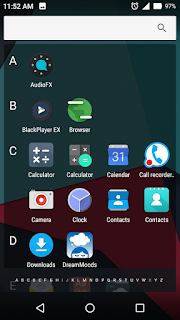
SREENSHOTS:-


IF YOU WANT TO ASK ANY QUESTION COMMENT BELOW

CREDIT:-
CYNOGENMOD
XDA-FORUM & MEMBERS
OPENGAPPS
RESURRECTION-REMIX
MOKEE
iROOT


Share:

BEST WEBSITE TO ACCESS & DOWNLOAD PPT & PDF


SLIDESHARE IS THE BEST WEBSITE TO ACCESS POWERPOINT(PPT) & PDF FILES MADE BY OTHERS FOR EDUCATIONAL PURPOSE. THESE FILES ARE PEOPLE NOTES,PROJECTS ETC.MAXIMUM FILES CAN BE DOWNLOADED AND REST OF SOME FILES CAN ONLY VIEWED ONLINE. 
VERY WELL APPRECIATED PEOPLE!!
JUST LOGIN BY FACEBOOK ACCOUNT OR JUST SIGN UP.
BEST OF LUCK!! HAPPY LEARNING

http://www.slideshare.net/
Share:

LENOVO Z510 REVIEW IN DEPTH & LAPTOP BUYING GUIDENCE


SPECIFICATIONS

Processor :-Intel® Core™ i7-4702MQ 4th Gen processor ,Cache 6 MB,

                             Clock Speed  2.2 GHz with Turbo Boost Upto 3.2 GHz


                            Intel® Core™ i5-4200M 4th Gen processor,Cache3 MB,

                            Clock Speed 2.5 GHz with Turbo Boost Upto 3.2 GHz

Operating System:-Windows 8.1


Display/Resolution:-Up to 15.6" Full HD display (1920 x 1080) HD LED Anti-glare
                                                       16:9 widescreen


Graphics:-NVIDIA® GeForce® GT 740M DDR3 1GB graphics(i5)

                          NVIDIA® GeForce® GT 745M DDR3 2GB graphics(i7)


Memory:-8GB 1600 MHz(WITH i7)

                         4GB 1600 MHz(WITH i5)

Hard Disk Drive:-HYBRID 1TB HDD integrated 8GB NAND flash SSHD


Weight (Net):-2.2 kg (4.85 lbs)

Sound:-Stereo speakers with Dolby®

                    Home Theater® certification

                   JBL SOUND FOR LENOVO

Optical Drive:-DVD reader/writer or Blu-ray Disc™

Connectors:-2x USB 3.0
                                 1x USB 2.0
                                  HDMI
                                 2-in-1 card reader (SD/MMC)
                                 RJ45
                                 combo Mic-In and headphone (stereo)
                                 Integrated Communications
                                 Bluetooth® 4.0
                                WiFi 802.11 b/g/n


Dimensions (W x D x H) :-380 mm x 265 mm x 25.6 mm (14.96" x 10.43" x 1.00"

Camera:-720p HD webcam

Laptop type:-Mainstream+GAMING+PRO


PRICE:-

Appx.
Rs.48000/-
$785.66/-
€585.11


ABOUT THIS LAPTOP


SPECIFICATION OF THIS LAPTOP IS MENTIONED ABOVE  AND SIMILAR LAPTOP AVAILABLE IN THE MARKET WHICH IS LENOVO Z50 WITH CORE i5 4210U PROCESSOR.

I HAVE PURCHASED THIS LAPTOP IN JULY MONTH.
AND THIS IS PRETTY DECENT LAPTOP FOR WORK, ENTERTAINMENT AND GAMING WISE.

Z510 COMES WITH WINDOWS 8.1 SINGLE LANGUAGE AND MANY MORE BLOATWARE WERE PREINSTALLED.SO YOU NEED TO CUSTOMIZE LAPTOP AFTER PURCHASE(SAME FOR Z50).
BUT FIRST OF ALL MAKE BACKUP DVD'S OF THIS SYSTEM SO YOU CAN SAVE YOUR ORIGINAL WINDOWS 8.1 AND ITS LICENCE.MAKE REPAIR DISK ALSO, IF YOUR SYSTEM REFUSES TO BOOT THEN YOU CAN FIX IT BY REPAIR DISK.

BACKUP AND REPAIR OPTION CAN BE SEARCHED IN SEARCH BAR. AFTER COMPLETING THE PROCESS YOU ARE READY TO CUSTOMIZE YOUR Z510 IN YOUR STYLE. REMOVE BLOATWARES LIKE POWER DVD ,McAfee aNTI VIRUS AND OTHER SOFTWARES. THESE SOFTWARES MAKES YOUR LAPTOP SLOW, AFTERWARD YOU CAN INSTALL YOUR TRUSTED SOFTWARES OR YOU CAN DOWNLOAD FROM FILEHORSE OR FILEHIPPO.
THERE IS DEDICATED ONEKEY RECOVERY BUTTON ON TH LEFT SIDE OF LAPTOP JUST NEXT TO CHARGING PORT, THIS IS USED TO RECOVER YOUR WINDOWS 8.1 IN ORIGINAL STATE AND DELETES YOUR DATA SO THINK BEFORE TO USE IT. 
LENOVO Z510 COMES WITH HYBRID DRIVE WHICH FASTER THAN OTHER HDD'S OF OTHER LAPTOPS. IT BOOTS MUCH FASTER THAN OTHER LAPTOP , JUST BECAUSE OF SSHD(1TB+8GBSSD).8GB SSD USED AS BOOT MANAGER PARTITION TO BOOT YOUR OS FASTER.

THE WHOLE DISK WORKS ON GPT TYPE WHICH MEANS YOU CANNOT INSTALL WIN7 OR WIN XP TILL HDD IS FULLY FORMATED AND CONVERTED INTO MBR TYPE. BECAUSE WIN7 REQUIRES TO INSTALL ON MBR TYPE. SO DONT TRY TO INSTALL WIN7 TILL YOU ARE NOT FAMILIAR WITH  YOUR LAPTOP AND OPERATING SYSTEM.
I HAVE INSTALLED WIN7 ON Z510 BUT LOOSE MY ORIGINAL WIN 8.1. CUSTOMER CARE SAID, THEY WILL INSTALL ORIGINAL WINDOWS BUT I NEED TO BRING THE LAPTOP ON SERVICE CENTER.

HARDWARE AND SOFTWARE WISE IT IS VERY FAST LAPTOP I HAVE USED TILL 2014 UNDER  $$800/-.

THERE IS BUG IN WINDOWS 8.1 WHICH CAUSES WINDOWS EXPLORE CRASHED AND TOUCHPAD STOPS SOMETIME NEXT DAY TO MY PURCHASE, BUT IT IS SOFTWARE PROBLEM NOT HARDWARE BECAUSE I AM USING WIN7 ULTIMATE SP1 SINCE 1 MONTH & THERE IS NO PROBLEM WITH TOUCHPAD & EXPLORER.

AFTER INSTALLING WIN7 YOU CANNOT USE ONEKEY RECOVERY BUTTON(NOVO BUTTON) BECAUSE IT IS DEDICATED FOR WIN8.1 OS.

NEW LAPTOPS ARE COMING WITH 4th GEN HASSWELL PROCESSORS AND 4000 SERIES INTERNAL GRAPHIC CARDS
INTERNAL GRAPHICS MEANS IT SHARES PROCESSOR + RAM AND GENERATES GRAPHICS TO PLAY GAMES, LESS OR LOW GRAPHIC GAMES CAN BE PLAYED ON INTERNAL GRAPHIC CARDON THIS LAPTOP,IT CAN RUN NFS HOT PERSUIT.
IF YOU WANNA USE LAPTOP FOR VIDEO CONVERSION , PLAY GAME, & FOR LEARNING MULTIMEDIA OR PHOTOSHOP THEN MAKE SURE YOUR LAPTOP MUST HAVE DEDICATED GPU LIKE nVIDIA OR ATI/AMD.
MAKE SURE BEFORE BUYING A NEW LAPTOP,PROCESSOR MUST BE LATEST 4TH GEN WITH 4GB RAM AND AT LEAST 500GB HARD DISK,, 14 TO 15.6" SCREEN FULL KEYBOARD WITH NUMERIC KEYS SEPARATE.
IF YOU WILL USE LAPTOP FOR A LONG YOU NEED SMOOTH TOUCHPAD NOT ROUGH.
nVIDIA 740M GPU WORKS LIKE PIECE OF CAKE(740M>>820M).
YOU NEED TO UNDERSTAND ABOUT THE GPU CHIPS, HOW THEY CATEGORIZED ??
LAST TWO DIGIT TELL HOW FAST IS YOUR GPU IT IS?? AND FIRST DIGIT SHOWS HOW LATEST IT IS, BUT LAST TWO DIGIT ALWAYS WINS BECAUSE 40>>20 . 740M HAS MORE CUDA CORES THAN 820M SO YOU CAN PLAY LATEST GAMES ON IT. 

INTEL 4th gen CORE i5-4200M IS EQUAL TO INTEL 4th gen CORE i7-4500U PERFOMENCE WISE
(COMPARISON WITH DELL 5537 -i7 LAPTOP)


SO NO NEED TO TAKE TENSION ABOUT IT.IF YOU ARE PURCHASING LAPTOP Z50/510 FOR GAMING PURPOSE ONLY SO YOU CAN BUY i7 VERSION OTHERWISE NO NEED TO INVEST MORE IN IT.

ABOUT THE BATTERY LIFE
IT CAN GIVES YOU 2.15 TO 3HR BATTERY LIFE ON USES OF WIFI +INTERNET SURFING+WATCHING MOVIE+uTORRENT+OTHER
I AM LITTLE BIT DISSAPOINTED BY ITS 4CELL BATTERY BUT ITS OK(WANTS 6CELL FOR MORE BATTERY LIFE)

BECAUSE IT COMES WITH 4CELL BATTERY WHICH IS NOT REMOVABLE, AND ONLY CAN REMOVE AFTER DISASSEMBLE WHOLE LAPTOP (FOR EXTENDING RAM ALSO)
IF YOU WANT MORE RAM BECAUSE IT COMES WITH 4GB ,YOU WANT 8GB THAN WHILE BUYING LAPTOP FROM STORE YOU NEED TO TALK ABOUT THIS TO STORE SO YOU ARE SAFE FROM THE SITE OF WARRANTY.

SO THIS IS COMPLETE REVIEW OF THE LENOVO Z510 ,IF YOU HAVE ANY QUERY THEN COMMENT BELOW.

THANK YOU FOR READING THIS POST!!!!!!!!!!!!!!  
     
Share:

Xiaomi Redmi 1S REALITY OF HEATING ISSUE

                   XIAOMI REDMI 1S/HONGMI


GENERAL FEATURES
In the BoxCharger, Handset, User Guide, USB 2.0 Cable
BrandMi
Model NameRedmi 1S
Model ID2013029
FormBar
SIM TypeDual Sim, WCDMA + GSM
Touch ScreenYes
Call FeaturesLoudspeaker
Handset ColorMetal Grey
PLATFORM
Operating FreqGSM - 850, 900, 1800, 1900; WCDMA - 2100
OSAndroid v4.3 (Jelly Bean)
Processor1.6 GHz MSM8228, Quad Core
GraphicsAdreno A305
DISPLAY
Size4.7 Inches
ResolutionHD, 1280 x 720 Pixels
Other Display FeaturesIPS Display, Touch Display
CAMERA
Primary CameraYes, 8 Megapixel
Secondary CameraYes, 1.6 Megapixel
FlashLED
Video RecordingYes, 1280 x 720
HD RecordingHD
Other Camera FeaturesSensor Type Exmor R CMOS, Aperture F2.2, ISO Photographic Mode, White Balance, Focus Mode, Focus Area, Automatic Focus, Multiple Scene Modes, Wide-angle
DIMENSIONS
Size69x137x9.9 mm
Weight158 g
BATTERY
TypeLi-Ion, 2000 mAh
MEMORY AND STORAGE
Expandable MemorymicroSD, upto 64 GB
Memory1 GB RAM, 8 GB ROM
INTERNET & CONNECTIVITY
Internet FeaturesEmail
Preinstalled BrowserAndroid
GPRSYes
EDGEYes
3GYes, 42 Mbps HSPA+
WifiYes, 802.11 b/g/n
USB ConnectivityYes
TetheringUSB, Wi-fi Hotspot
Navigation TechnologyA-GPS, GLONASS, with Google Maps
BluetoothYes, v4, Supported Profiles (LE)
Audio Jack3.5 mm
MULTIMEDIA
Music PlayerYes, Supports AAC, eAAC+, AMR, MP3, MIDI, OGG, AAC+, AMR-WB
Video PlayerYes, Supports H.263, H.264, MPEG4, HD
FMYes
Sound EnhancementDual Microphone Noise Reduction
OTHER FEATURES
SAR Value1.210 W/Kg
Call MemoryYes
SMS MemoryYes
Phone Book MemoryYes
SensorsElectronic Compass, Accelerometer, Light Sensor, Gyroscope, Proximity Sensor
Additional FeaturesFlash Player, OTG Support, Keyboard Type: Virtual QWERTY Keyboard, WLAN Support, AGC Dragontrail Scratch-resistant Glass
                                                                                                                    AS PER AS FLIPKART#

THIS IS GOOD PHONE AVAILABLE IN INDIAN MARKET OR ON FLIPKART EXCLUSIVE AFTER REGISTRATION.MOST OF US ATTRACTED BY SPECIFICATION OF THIS PHONE BUT AFTER A REVIEW AND BENCH MARKING , MY FRIEND VED PRAKASH AND I NOTICED A ISSUE WHICH IS HEATING ISSUE. MOST COMMON REASON FOR HEATING UP OF A PHONE IS PROCESSOR WHICH PROCESS FLOW OF DATA THROUGH ITSELF.

WHEN DATA FLOW IS ABOVE THE NORMAL LIMIT ITS GET HEATED UP (WHEN WE TRY TO PLAY GAME, GRAPHIC PROCESSING , BACKGROUND PROCESSES , SOUND AND VIDEO RENDERING ) MEANS WE OR PHONE TRY TO PROCESS DATA MORE THAN ITS LIMIT.

OVERCLOCKING IS A PROCESS IN WHICH WE CAN INCREASE THE LIMIT OF PROCESSOR OR FREQUENCY (EXAMPLE IF 1.0Ghz AFTER OVERCLOCKING 1.3Ghz )    BUT AFTER THE OVERCLOCKING PROCESSOR CAN PROCESS THE DATA ABOVE THE FREQUENCY BUT GETS HEATED UP.

THATS RIGHT YOU ARE THINKING ABSOLUTELY RIGHT SIMILARLY IN XIAOMI REDMI 1S CASE ITS HEATED UP EVEN DURING VOICE CALL AND NORMAL USAGE , MORE IN GAMING JUST BECAUSE ITS OVERCLOKED.
THIS IS CAN BE DONE BY CHANGING SCRIPTS IN ANDROID ROM
THINK YOURSELF HOW CAN YOU GET A QUALCOMM SNAPDRAGON PROCESSOR IN $100/-. MOST OF US KNOWS THAT SNAPDRAGON PROCESSOR IS COSTLY .
THINK YOURSELF AND SAVE MONEY!!!


THIS IS MY REVIEW BUT YOU CAN SHARE YOURS. 


Share:

recent posts

featured video

BTemplates.com

Powered by Blogger.

Search This Blog

Blog Archive

Translate

About

Blog Archive